
File Browsing
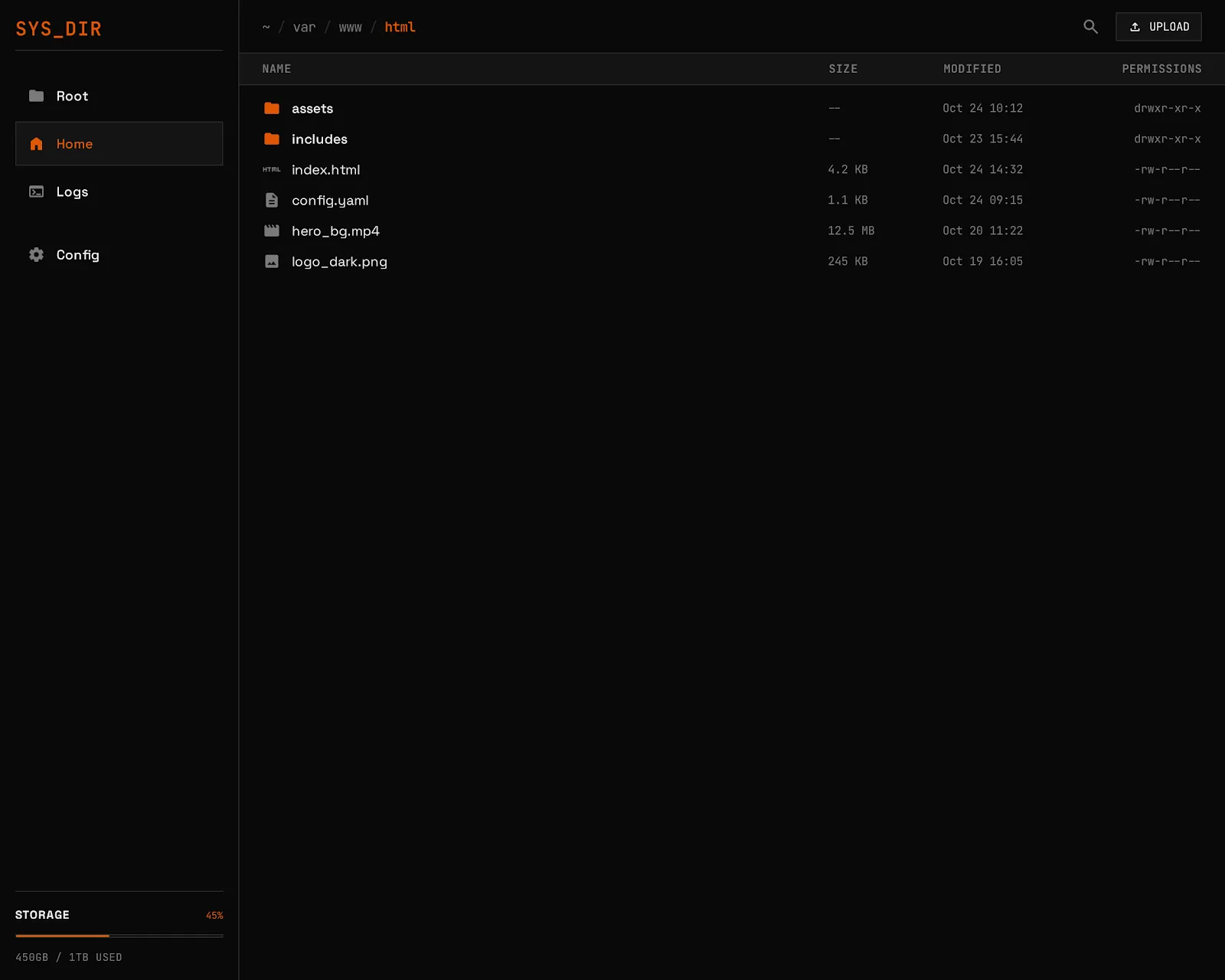
Directory listing
Section titled “Directory listing”The file browser displays directory contents with sortable columns:
- Name — file or directory name
- Size — human-readable file size
- Modified — last modification date
- Type — MIME type (derived from extension)
Sort by clicking column headers. Ascending and descending supported.
File operations
Section titled “File operations”Download
Section titled “Download”Click any file to download it. The download endpoint supports HTTP range requests, so download managers and curl --continue-at work correctly.
Create directory
Section titled “Create directory”Use the New Folder button to create a directory in the current location.
Delete
Section titled “Delete”Select files or directories and delete them. Directory deletion is recursive. The root directory is protected and cannot be deleted.
Rename / Move
Section titled “Rename / Move”Rename a file or move it to a different path. Optionally overwrite the destination.
# API examplecurl -X PATCH http://localhost:8080/api/fs/old-name.txt \ -H "Authorization: Bearer TOKEN" \ -H "Content-Type: application/json" \ -d '{"destination": "new-name.txt", "overwrite": false}'Text editor
Section titled “Text editor”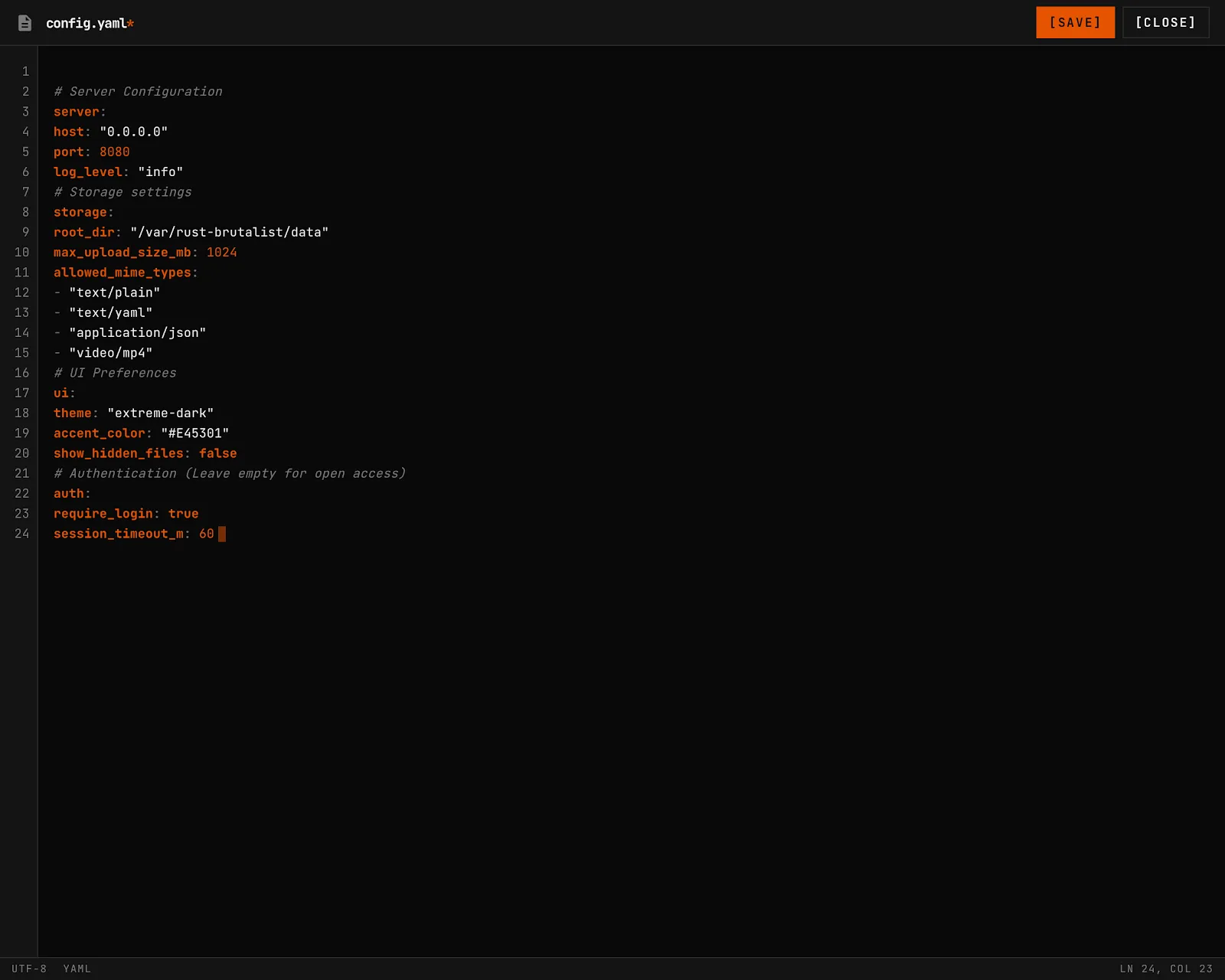
Files detected as text (based on MIME type) open in the built-in editor:
- Line numbers with gutter
- Save with
Ctrl+S/Cmd+S - Modified indicator shows unsaved changes
- Navigation guard warns before leaving with unsaved changes
- Cursor position displayed as line:column
Text content is returned inline for files up to 5 MB. Larger text files can be downloaded.
Saves are atomic — a temp file is written and renamed, preventing partial writes on crash.
Search
Section titled “Search”The file browser includes a search bar for finding files by name across the entire filesystem.
- Full-text search powered by SQLite FTS5
- Type filtering — narrow results by:
file,dir,image,video,audio,document - Size and date filters — filter by
min_size,max_size,after,before - Path scoping — limit search to a subdirectory
- Debounced input — queries fire after a short delay to avoid excessive requests
# API example — search for "readme" filescurl "http://localhost:8080/api/fs/search?q=readme&type=file&limit=20" \ -H "Authorization: Bearer TOKEN"The search index is built in the background on startup and updated incrementally as files change via the filesystem watcher.
Breadcrumbs
Section titled “Breadcrumbs”The path bar shows clickable breadcrumb segments. Click any segment to navigate up the directory tree.
Inline content preview
Section titled “Inline content preview”When browsing directories, the API can return text file content inline:
curl "http://localhost:8080/api/fs/path/to/dir?content=true&sort=name&order=asc" \ -H "Authorization: Bearer TOKEN"Directory listing cache
Section titled “Directory listing cache”Directory listings are cached in memory (moka cache) with:
- 30-second TTL — entries expire after 30 seconds
- 15-second TTI — entries expire 15 seconds after last access
- 1,000 entry cap — LRU eviction beyond this limit
- Filesystem watcher — changes detected by
notifyinvalidate the cache within 500ms
This means repeated requests for the same directory are served from memory, but filesystem changes are reflected quickly.