Frontend Architecture
Tech stack
Section titled “Tech stack”| Technology | Version | Purpose |
|---|---|---|
| React | 19 | UI framework |
| TypeScript | 6 | Type safety |
| React Router | 7 | Client-side routing |
| Tailwind CSS | 4 | Utility-first styling |
| Vite | 8 | Build tool + dev server |
| tus-js-client | 4 | Resumable uploads |
| iconoir-react | 7 | Icon library |
Routing
Section titled “Routing”/login → LoginPage (also handles first-run setup)/browse/* → BrowserPage (directory listing + search)/edit/* → EditorPage (text file editor)/play/* → PlayerPage (video/audio player)/preview/* → PreviewPage (image/document preview)All routes except /login are protected by an auth guard in App.tsx. Pages are loaded via React.lazy for code splitting.
State management
Section titled “State management”No external state library. State is managed through:
useAuth— Auth context provider wrapping the app. Manages token, user, login/logout/refresh. Stores token in memory (not localStorage). Arustyfile:auth-expiredcustom window event triggers automatic logout.useFiles— Directory listing, delete, and create-directory operations. Wraps the API client.useTusUpload— Upload queue with concurrency control (max 3). Manages TUS lifecycle, progress tracking, and cancellation.useSearch— Search with debounced input. Wraps the/api/fs/searchendpoint with type/size/date filters.useDragDrop— Drag-and-drop event handling. Falls back to file picker.
API client
Section titled “API client”api/client.ts provides a fetch wrapper that:
- Automatically attaches the Bearer token from auth context
- Parses JSON responses
- On
401from any non-auth endpoint, dispatchesrustyfile:auth-expiredto trigger logout - Throws
ApiClientErrorwithstatusandcodefields for error handling
Component structure
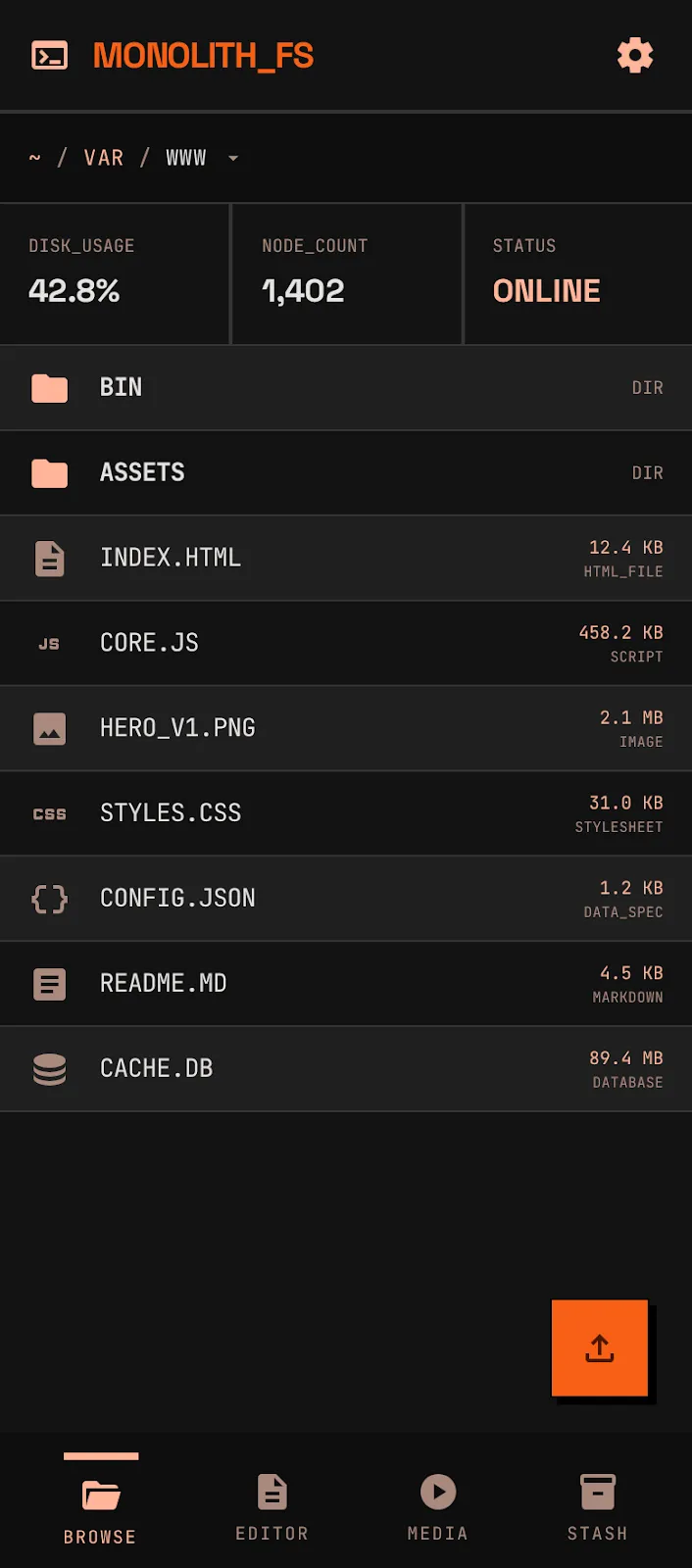
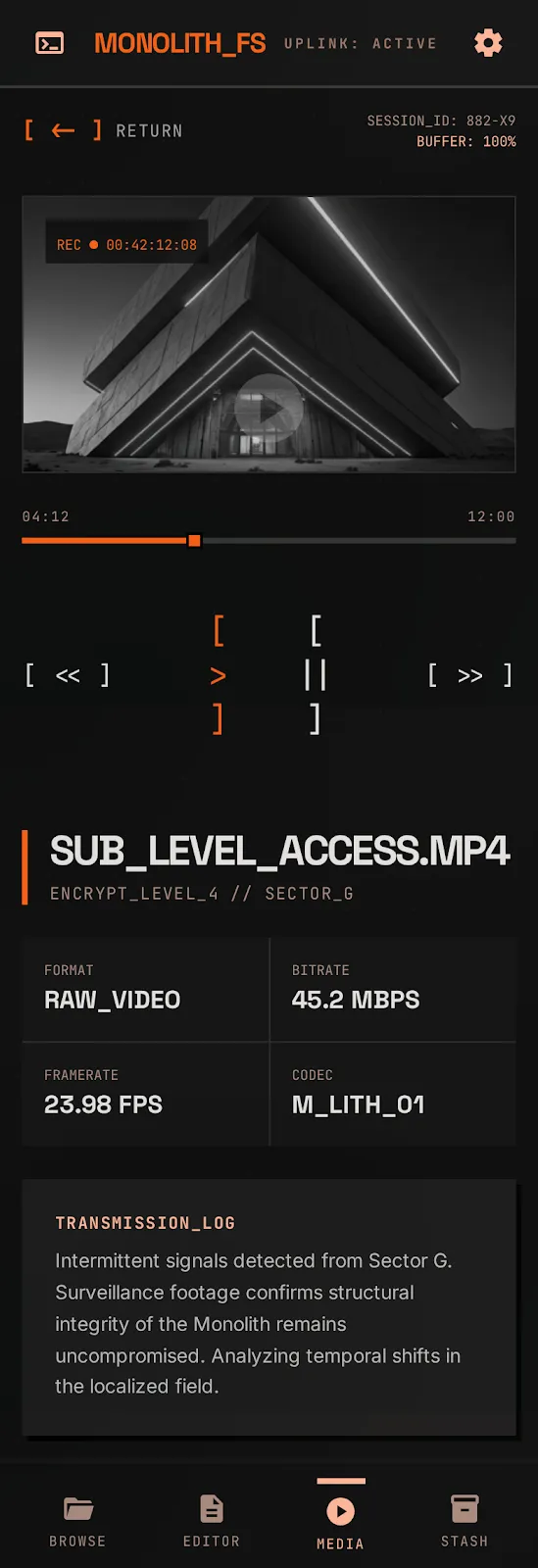
Section titled “Component structure”Layout├── Sidebar (desktop navigation, quicklinks, storage meter placeholder)├── BottomNav (mobile tab bar)└── Page content ├── Breadcrumbs (clickable path segments) ├── FileList → FileRow (sortable directory listing) ├── UploadManager (progress panel) ├── UploadFAB (mobile floating action button) ├── DropZone (drag-over overlay) └── VideoControls (scrubber, play/pause, volume, fullscreen)cd frontendpnpm installpnpm build # tsc -b && vite build → frontend/dist/pnpm dev # dev server on :5173, proxies /api/* to :8080The production build outputs hashed assets to frontend/dist/. When the Rust binary is built with --features embed-frontend (default), these files are embedded via rust-embed and served with immutable cache headers.
Design system
Section titled “Design system”The UI follows “The Industrial Monolith” — a brutalist design language built for speed and clarity.
Color tokens
Section titled “Color tokens”| Token | Value | Usage |
|---|---|---|
--color-background | #090909 | Page background |
--color-surface | #141414 | Card/panel backgrounds |
--color-surface-high | #201F1F | Elevated surfaces |
--color-surface-bright | #353534 | Highlighted surfaces |
--color-borders | #2C2C2C | Borders and dividers |
--color-primary | #E45301 | Primary orange accent |
--color-primary-light | #FFB599 | Light orange variant |
--color-primary-container | #F76015 | Action buttons |
--color-text-main | #F2F2F2 | Body text |
--color-muted | #7A7A7A | Secondary text |
--color-outline | #A98A7E | Tertiary/outline color |
Typography
Section titled “Typography”| Font | Usage |
|---|---|
| Space Grotesk (400–700) | Headlines, display, navigation |
| JetBrains Mono (400–700) | Metadata, labels, code, data |
Design rules
Section titled “Design rules”- 0px border radius everywhere — sharp corners, no exceptions
- Hard shadows (
4px 4px 0px 0px #000) — physical offset, never blurred - 2% noise texture overlay via SVG filter for analog depth
- Surface hierarchy — stacked plates: background → surface → surface-high → bright
- No divider lines — use background color shifts between sections
Responsive layout
Section titled “Responsive layout”Desktop uses a sidebar with navigation and quicklinks. Mobile switches to a bottom tab bar (Browse, Editor, Media, Stash).